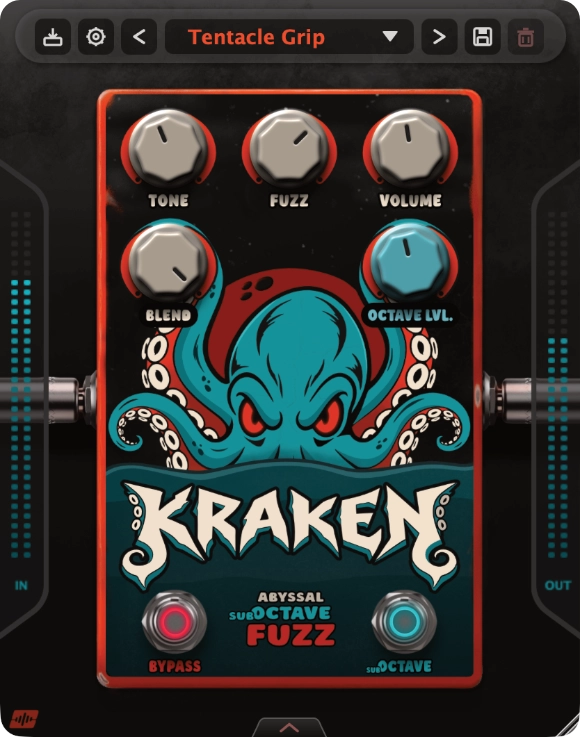
Fuzz engine
Two nonlinear clipping stages deliver thick lows, compressed sustain and a raw, commanding voice.

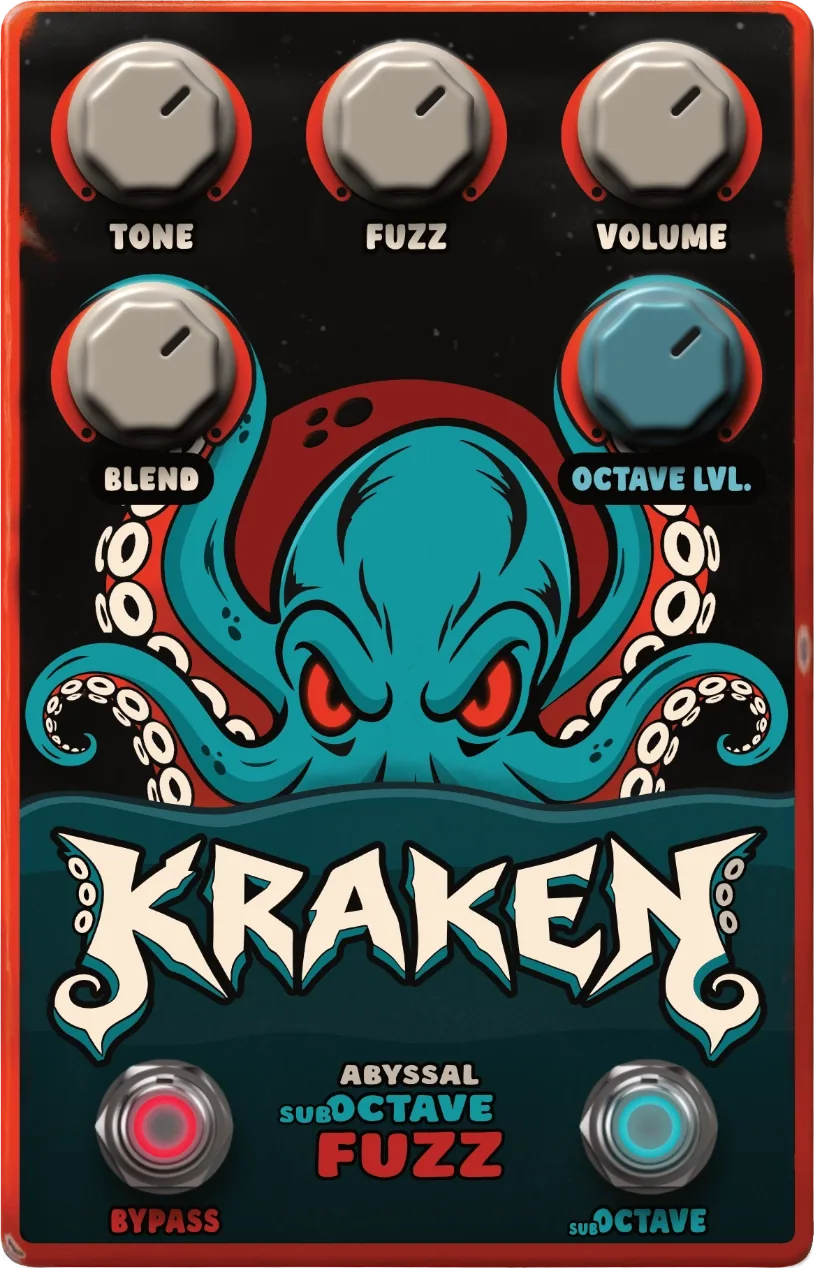
Kraken pairs a crushing fuzz core with a deep octave-down voice. At its heart, a low-latency and CPU-efficient polyphonic processor tracks your playing and recreates the character and detail of your sound one octave lower. It goes from thick, punchy riffs to full deep-sea mayhem.
Kraken drags your signal into the abyss. You decide what comes back.
Free beta · No purchases available
Sailors described the Kraken as a colossal creature dwelling off the coasts of Norway and Greenland. It was so vast that its back could be mistaken for an island and its rising tentacles could swallow a ship.
The plugin turns that abyssal weight into sound. A dense wall of fuzz forms the body, the sub-octave voice moves beneath it, and the original signal remains at the surface through the Blend control.
Two nonlinear clipping stages deliver thick lows, compressed sustain and a raw, commanding voice.
A low-latency polyphonic voice follows your playing an octave below, preserving detail with efficient CPU use.
Mix the complete octave-fuzz chain with the original input for anything from added texture to total destruction.
Fast enough for the first idea, deep enough for the final mix.
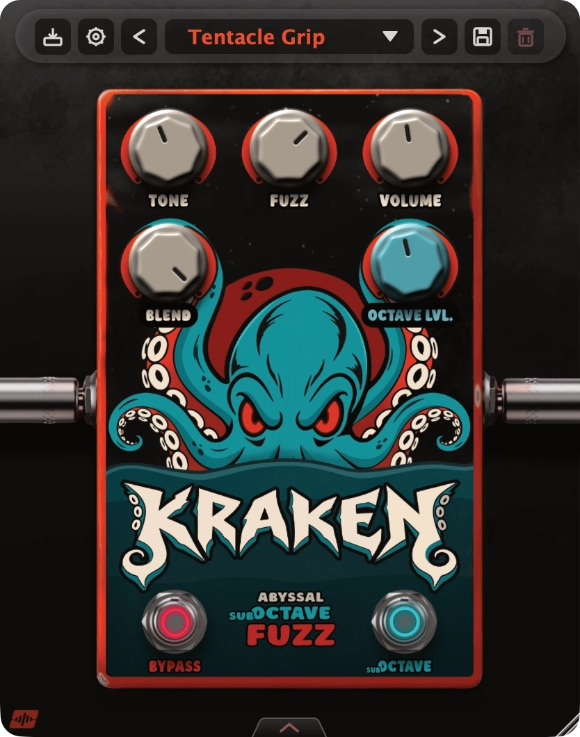
Manage presets, save sounds, and access license and update settings.
Shapes the passive tone network from deep and dark to sharp and cutting.
Sets the intensity, compression and length of the fuzz.
Sets the final output level of the beast.
Mixes the fully processed octave-fuzz signal with the original input.
Sets the level of the voice one octave below the original signal before the fuzz.
Turns the effect on or off. When bypassed, the original signal passes through without processing.
Turns the octave-down voice on or off before the fuzz circuit.
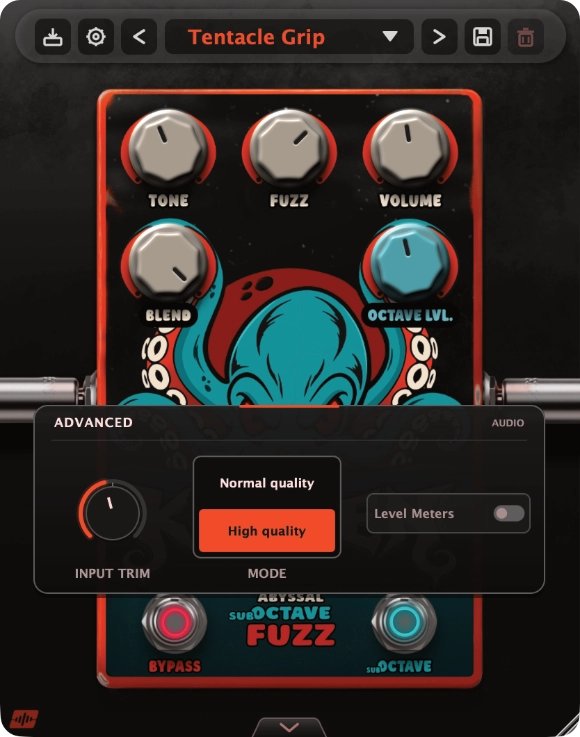
Adjusts the level entering the fuzz circuit. Use it to compensate for hotter or quieter inputs.
Normal quality uses less CPU. High quality provides maximum processing quality.
Shows or hides the lateral level meters.
Tap the numbered points to discover each control. Use the arrow on the interface or the view selector to open the advanced panel.
Everything needed to bring the beast into your setup.
Everything you need to know before unleashing the Kraken.
Yes. Kraken is designed for guitar and bass, and can also add fuzz, sustain and octave-down weight to synths and drums. Use the Blend control to mix the processed sound with your original signal when you want to retain more attack and definition.
Kraken generates a polyphonic voice one octave below your input and feeds it into the fuzz circuit. The Sub-Octave switch turns that voice on or off, while Octave Lvl. controls its level before the fuzz. This lets you move from a subtle low layer to a heavier octave-fuzz sound.
Yes. Kraken’s Blend control mixes the complete octave-fuzz signal with your original bass signal, helping retain clean attack and low-end definition while adding fuzz and octave-down weight. Turn Blend fully wet when you want only the processed sound.
Yes. Turn off the Sub-Octave switch to use the fuzz circuit without the octave-down voice. Shape the fuzz with Tone and Fuzz, set the output with Volume, and use Blend to mix in your original signal.
Kraken supports VST3 on Windows 10 or newer and macOS 12 or newer. Supported sample rates range from 44.1 to 192 kHz.
Join the free beta using the link on this page. Your beta invitation provides download and activation instructions; no purchases are currently available. If your account offers a fully functional 14-day trial, it begins when you activate the plugin, not when you download the installer.
Yes. Kraken can process audio offline after activation. You need an internet connection to activate the plugin or start an available trial through Moonbase.
No iLok is required. Moonbase manages Kraken licenses and activations. Sign in with the email address associated with your beta invitation to see the licenses and activations available to your account.